Register, transfer, renew and manage domains through OSIR from FOSSBilling.
What it does
Registration, transfer-in and renewal, including renewals paid after the registry has already auto-renewed
Nameservers, contacts, transfer lock, WHOIS privacy and transfer (EPP) codes
Expiry synchronisation through FOSSBilling's cron
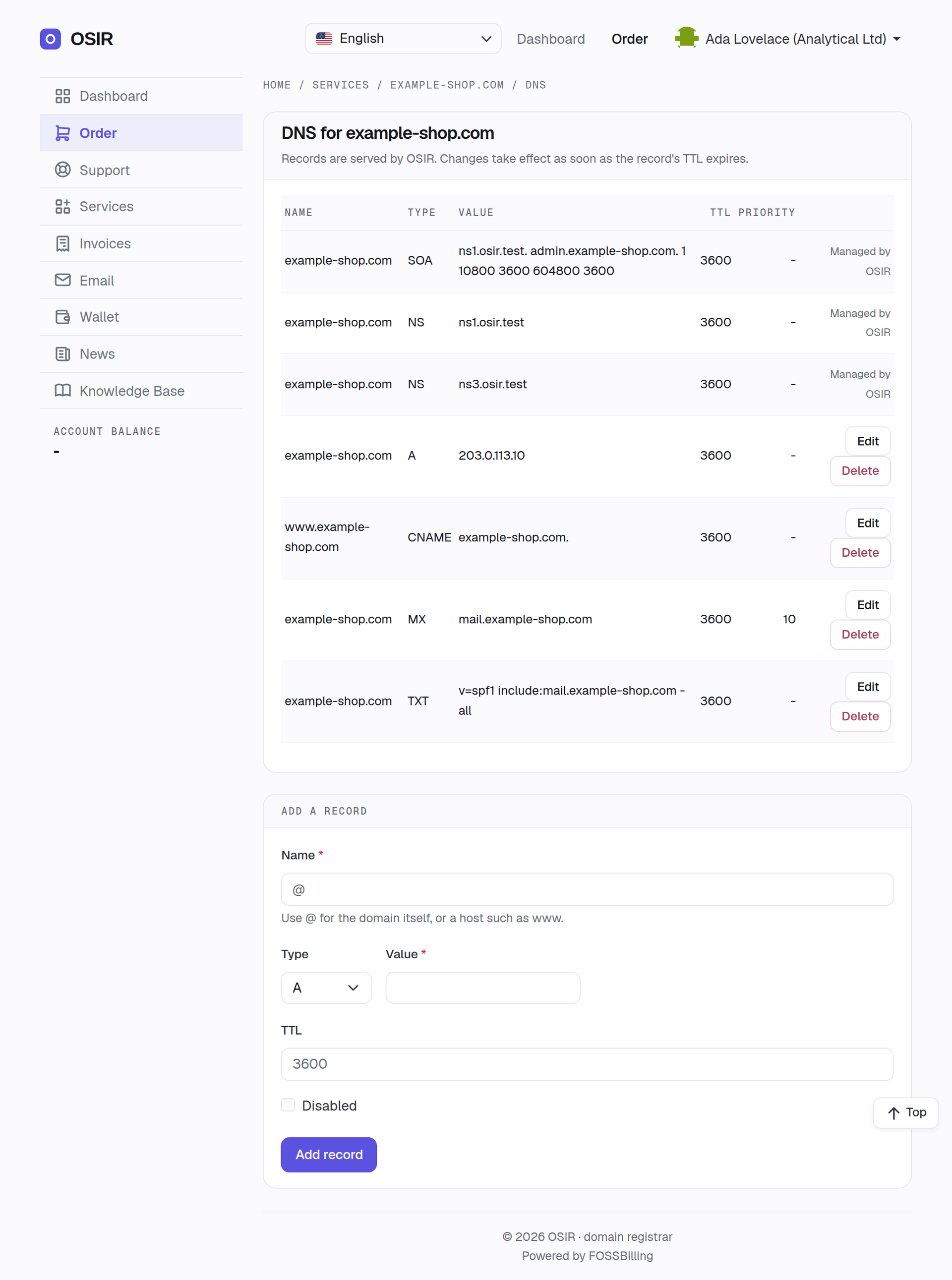
DNS in the client area: your customers manage the records of their own domains — A, AAAA, CNAME, MX, TXT, SRV, CAA, NS, PTR, NAPTR. No extra product to sell; the zone apex stays with OSIR
Import from OSIR: create your TLDs from OSIR's catalogue with your markup, and turn domains you already hold at OSIR into FOSSBilling orders without registering or charging anything
Premium names are refused by default, and can optionally be allowed within a cost limit you set
osir-doctor, a read-only diagnostics command
Money safety
A lost connection, a retried cron run or a double click never registers or renews twice: every paid call
carries an idempotency key bound to the order. An optional cost limit refuses anything above the price you
choose, and a price that cannot be confirmed is never charged.
Requirements
FOSSBilling 0.8.7 or newer
PHP 8.3, 8.4 or 8.5 with intl
An OSIR account and a live API key. OSIR has no test environment, so FOSSBilling's Test Mode is refused
rather than silently sending live, paid operations.
Installation
Download osir-fossbilling-registrar-1.3.1.zip and SHA256SUMS from the
latest release and verify the checksum.
Extract it into your FOSSBilling root. It adds only library/Registrar/Adapter/Osir* and modules/Osir.
In the admin panel, open Domain Management → Registrars, find Osir and click Install.
Add your API key, then activate the OSIR domains module under Extensions for the import and the
client DNS page.
The same release includes osir-fossbilling-theme-1.3.1.zip, a client-area theme in OSIR's design with a
domain search home page. It is independent of the registrar and optional.